




null Skip to main content

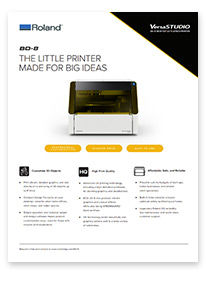
Roland BD-8 Desktop UV Flatbed Printer

$11,595.00
Financing Options:

Extraordinary product customization starts here. The new VersaSTUDIO BD-8 makes it quick and easy for anyone — even those with no prior experience — to print vibrant and detailed graphics on a wide range of objects.

Even better, the BD-8 fits on your desktop, making it ideal for use in home businesses, small offices, retail spaces and classroom settings. With a BD-8, adding value and appeal to items like phone covers, cosmetic cases, fashion accessories, sports memorabilia, gifts, bottles and more is a breeze. 

Welcome to a new world of creative possibilities.

Customizing 3D objects has never been easier. With the BD-8, you can make it yours by printing vibrant graphics and detailed text directly on 3D objects — whether personalizing creations for your customers or crafting branded products for your business.


BD-8 Specifications
• Maximum Printing width/length *: Max. 8.2 in. × 5.8 in. (210 mm × 148 mm)
• Ink cartridges type / capacity: Roland ECO-UV (EUV5) 220 ml cartridges
• Ink cartridge: Five colors (cyan, magenta, yellow, black, and white) plus primer
• Printing resolution: Max 1440 dpi
• Dimensions: 30.3 in. × 23.1 in. × 22.9 in. (768 mm × 586 mm × 580 mm)
• Included items: Power cord, cleaning liquid, user’s manual, software (FlexiDESIGNER VersaSTUDIO Edition, VersaWorks,
Roland DG Connect), etc.


BD-8 Datasheet


// Uses React's native (unpatched) value setter + a real dispatched event, // so the app's own onChange / validation / append logic fires correctly. // build the visible field the user will actually type into // copy the real field's classes + computed styles so it looks identical // preload with existing value (formatted) if the real field already has one // hide the real field visually but keep it in the DOM and functional, // so your app's own validation / append event still works as before // place the visible field right where the real one used to be // send only the plain digits to the real field — this matches what // the numeric field type expects, so no "invalid phone number" error // keep focus/blur events flowing to the real field too, in case your // app's validation triggers specifically on those